北投-北建大医院建设联合研究中心
Medical Planning Standard Atlas and Drawing Review Key Points (1. Digital Design Atlas for Children's Hospital Buildings)
A foundation for safe, healing environments built for clinicians, designers and owners. It integrates evidence-based healthcare space dimensions, infection control barriers and human-centered circulation into a searchable, testable and continuously refinable standard atlas system. Your suggestions and guidance are welcome, thank you!


Medical planning standard atlas
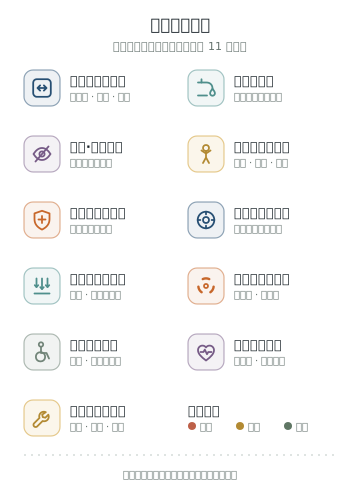
Distilled from children's hospital medical planning, review logic and standardized presentation: flow organization, infection control zoning, equipment terminals, clearances and dimensions, child-friendliness and drawing review key points.
Department process summariesFlow organization and review focus for outpatient, emergency, medical technology and inpatient spaces
Standard drawing lookup and space modules
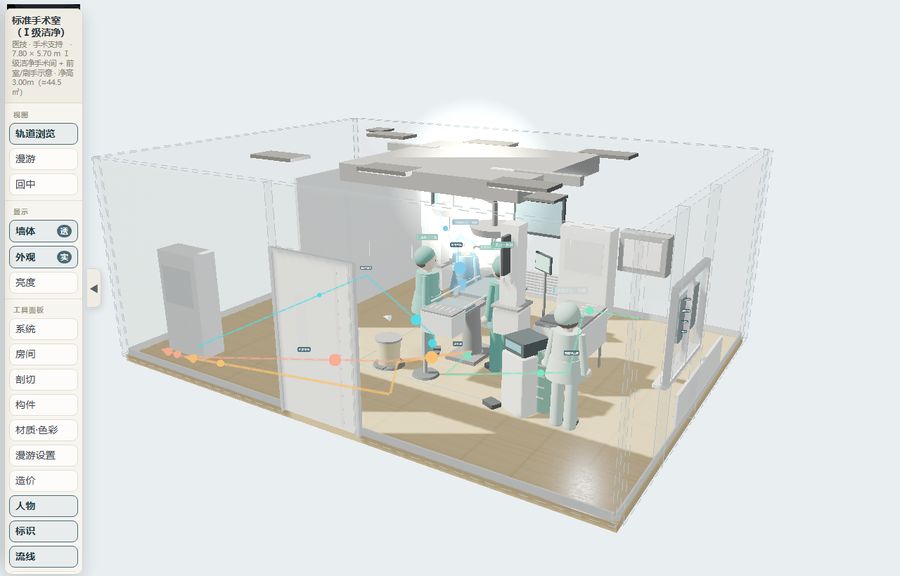
Search space names, departments, resource types or review keywords. Each module has an interactive 3D information model and an open comment area.
Medical process flow
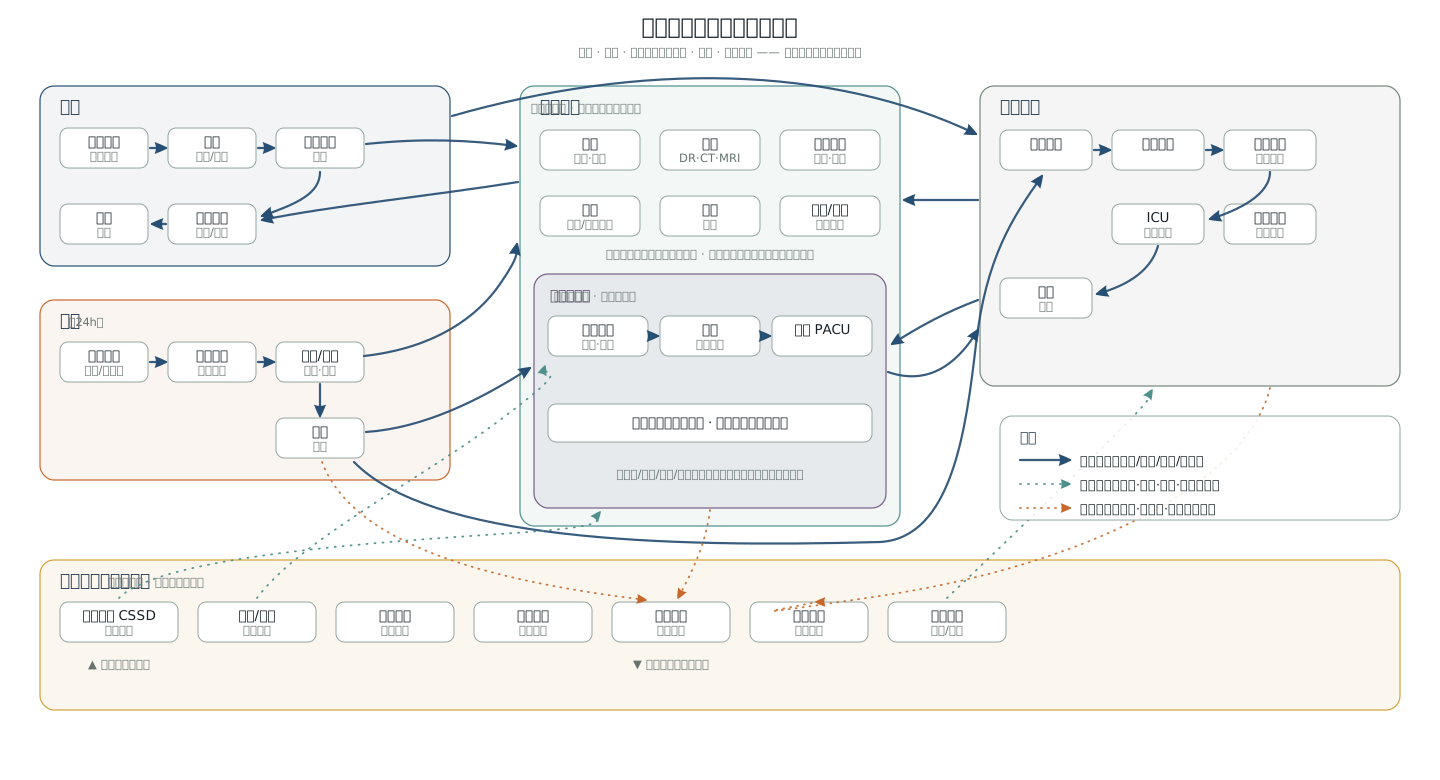
Confirm outpatient, emergency, surgery, imaging, ward and logistics flows step by step through interactive discussion. External links point to searches for online flowcharts, flow diagrams and animated videos; the site does not reproduce unlicensed material.
Code review workbench
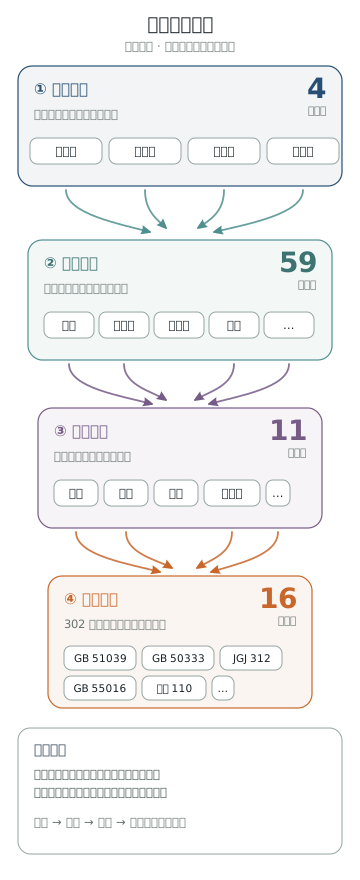
Organized layer by layer as "department section → space module → review focus → related code clauses". Click any space module to open its code clauses, official public search links and discussion and confirmation path.
Layer-by-layer review method
Select a department first, then a space module. The dialog compiles the module's process confirmation points, review focus items, local resources and related code clauses.
This site does not provide code PDF downloads or direct links. Code links only point to public search pages of the competent authorities, the national standards platform or official atlas websites; formal design and review should use legally obtained current texts.
Flow illustrations and external diagrams
Supplementary online flowcharts, plans and spatial organization diagrams for discussing outpatient, emergency, surgery, inpatient nursing unit and other modules.
Cases and resources
A collection of classic healthcare building cases and evidence-based design resources, plus the site's local resource types such as CAD, diagrams and video.
Drawing review
Review first: register the drawings and space scope, then automatically match space modules, generate check lists and optimization suggestions; local rule review by default, drawings are not uploaded to the server.
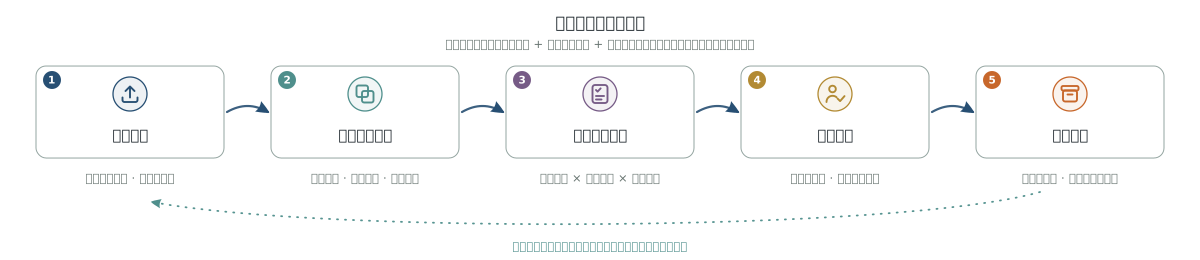
Upload / registerLocal browser recognition and conversion; original drawings are not uploaded
Hospital drawing identity verification
No file selected yet. Before generating formal review results, the system verifies the file format and medical scene clues.
Image annotation / error indexWaiting to generate
Images are displayed directly; DWG is converted to a high-resolution PNG in the browser, while DXF/PDF still use the resource base drawing.
Automatic review listReview first, optimize second
Review scopeWaiting to generate
Automatic layout studyModule relations / flows / risks
Comment database / review recordsCloudflare D1 + local cache
Module comments, review baskets and site-wide suggestions go to the central comment database; full review reports and original drawings stay on this device and can be exported as JSON and issue lists for expert joint review and issue closure.
Suggestions and comments
Every space module keeps an open comment area; suggestions on process flows, code clauses, cases and resources and model presentation are also welcome.
Comments are collected centrally: after submission they are sent to the research team's back end, with fields for space module, name/organization, comment text and submission time; when the network is unavailable they are saved in this browser first and sent automatically later.
Any suggestions on process flows, code clauses, cases and resources, model presentation or site features are welcome here, up to 2000 characters.
Comments will be compiled for the research team (signature optional)